

MacBook Charger Air / Pro
GH₵ 190
Rogynet Computers Sold by Budget Gadgets Stores · Accra Metropolitan
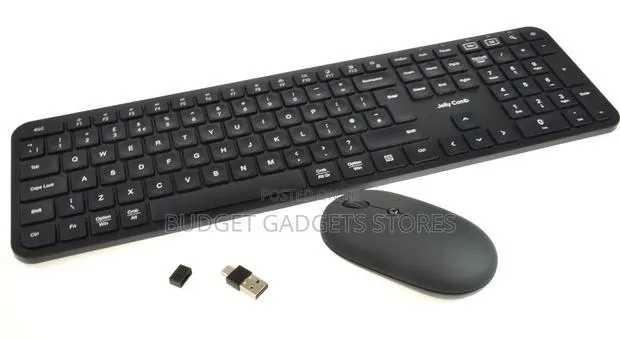
1. Locate the USB receiver: Look inside the battery compartment of either the mouse or keyboard to find the small USB Nano Receiver. 2. Plug it in: Insert the USB receiver directly into an open USB port on your computer or laptop. 3. Power them on: Flip the power switches on both the keyboard and mouse to the ON position. They should automatically pair within a few seconds.
Report listingGH₵ 190
Rogynet Computers
GH₵ 300
Tech Hubgh
GH₵ 40
Asta Technologies Ltd
GH₵ 250
Tech Hubgh
GH₵ 120
Asta Technologies Ltd
GH₵ 50
Asta Technologies Ltd