Description
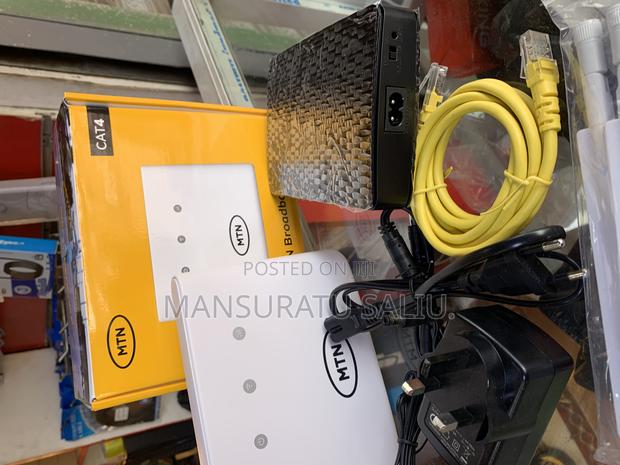
This is an MTN 4G Broadband Router (CAT4) setup. Here’s what’s included in the image: 1. MTN 4G Broadband Router (white device) – This is the main device that connects to MTN’s 4G network and provides WiFi to your home or office. 2. Yellow Ethernet Cable (LAN cable) – For connecting the router to a computer, smart TV, or another device directly for faster and more stable internet. 3. Power Adapter (UK 3-pin plug and EU 2-pin plug options) – To power the router. 4. Black Device (with textured surface) – This looks like a backup power unit (mini UPS) to keep the router working during power outages. 5. Box (yellow MTN CAT4 branding) – The original packaging for the router. Basically, once you insert an MTN SIM card into the router, power it on, and connect via WiFi or LAN cable, you’ll have internet access.